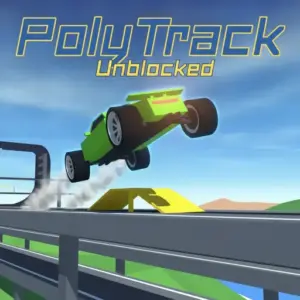
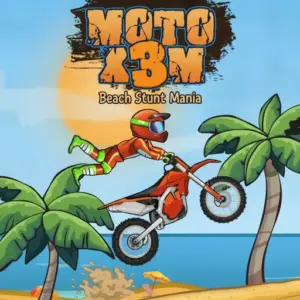
What are driving games?
Driving games put vehicle control at the centre of play. The goal might be racing, parking, free-roaming, drifting, delivering cargo or completing stunt routes. This category is broader than Racing Games because not every driving title asks you to finish first. Some are about control, exploration or completing a route without damaging the vehicle.
Driving games versus racing games
Racing is one type of driving game. A racing title measures you against opponents, a clock or a finishing position. A driving simulator may let you explore freely. Parking games test low-speed precision. Stunt games reward jumps and vehicle balance. This difference matters because a player looking for relaxed exploration may not enjoy the pressure of a race, while someone chasing lap times wants a clear competitive goal.
Common browser driving controls
Desktop driving games often use WASD or arrow keys. Space may control a handbrake, while Shift, C or other keys can handle boost and camera changes. These are common patterns, not universal rules. The individual game page should list verified controls because guessing can make a vehicle feel broken when the real issue is simply the wrong key.
Touch driving games may use virtual steering buttons, tilt controls or swipe input. A layout designed for phone screens can feel very different from the same game's keyboard edition.
How to corner more smoothly
Most browser driving mistakes begin before the corner. If you enter too fast, steering alone may not save the line. Brake or lift off the accelerator before the turn, aim toward the exit and accelerate again as the vehicle straightens. In arcade games the physics may be forgiving, but this simple slow-in, fast-out idea still improves control.
- Look ahead instead of staring at the vehicle.
- Use small steering corrections at high speed.
- Brake earlier on unfamiliar tracks.
- Learn how the current game handles collisions before attempting narrow shortcuts.
Free-roam, parking and stunt driving
Free-roam games are good when you want to experiment without a finish line. Parking games make speed less important and reward careful angles. Stunt games often ask you to manage rotation in the air so the vehicle lands on the next surface. When browsing, pay attention to those mechanics rather than choosing only by the picture of the car.
Choosing a driving game for your device
Simple 2D driving games can run comfortably on a wide range of browsers. Large 3D maps may need more graphics power and memory. On a Chromebook or older laptop, close unnecessary tabs before a demanding WebGL game. On mobile, touch-friendly titles are usually easier than games designed around many keyboard shortcuts.
Related categories
Use Racing Games for direct competition, Car Games when you want four-wheel vehicles, Bike Games for motorcycles and bicycles, and Simulation Games for titles that emphasize systems or realistic control. Action-driving hybrids may also appear in Action or Battle when weapons and survival are central.
Driving-game troubleshooting
If steering feels delayed, first click inside the player to restore keyboard focus. Close heavy tabs before a 3D game and keep the browser updated. If the road moves smoothly but the controls feel wrong, check the actual control instructions before assuming there is lag. Some games use arrows, some use WASD, and others separate steering from acceleration.
When a particular game does not load at all, the cause can be the provider, WebGL support, browser extensions or network policy. Troubleshoot conservatively rather than repeatedly refreshing a managed school connection.
Arcade physics versus simulation-style handling
Arcade driving games often let vehicles turn sharply, survive large jumps and recover quickly after contact. Simulation-style games may ask for earlier braking, gentler steering and more attention to traction. Before judging the controls, identify which behaviour the game is trying to create. A car that feels “slow” in a simulation may simply reward smoother inputs, while an arcade racer may expect aggressive drifting.
Camera position can also change how handling feels. A close camera makes speed look higher; a wider third-person view can make it easier to judge the vehicle's angle. Use the game's camera options when available rather than forcing one view for every situation.
Parking and precision driving tips
Parking games reverse the normal driving priority: accuracy matters more than speed. Approach the target slowly, straighten the vehicle before the narrowest section and use small steering changes. If reverse is available, do not treat it as failure. Repositioning can be faster than trying to rescue a bad approach angle with extreme steering.
Watch the corners of the vehicle, not only its centre. In tight spaces, a front or rear corner usually makes contact first. Games with trailers or long vehicles require even more planning because the rear follows a different path.
Stunt driving and safe landings
In stunt games, the airborne trick is only half the move. A successful jump needs a landing that preserves enough control for the next obstacle. Rotate early, then use smaller corrections as the vehicle descends. If the next surface slopes down, match that angle instead of trying to land perfectly horizontal. Build confidence on large ramps before attempting flips from short jumps.
These skills connect Driving Games with Bike Games and Racing Games, but the individual page should explain the exact physics because not every title uses the same rotation or boost system.
Driving Games FAQ
What are driving games?
Driving games are browser games where controlling a vehicle is the main activity, including racing, parking, drifting, stunts and free-roam simulation.
Do all driving games have races?
No. Some focus on exploration, parking, delivery, stunts or open-world vehicle control.
What keys do browser driving games use?
WASD and arrow keys are common, but controls vary. Check the specific game page or in-game instructions.
Are driving games good on mobile?
Touch-designed titles can work well. Keyboard-focused simulators and complex 3D games are often easier on desktop.
How do I stop oversteering?
Make smaller steering inputs, reduce speed before corners and look farther ahead on the road.
What is the difference between Car Games and Driving Games?
Car Games focuses on the vehicle type, while Driving Games includes cars, bikes, trucks and other vehicles where driving is the main mechanic.