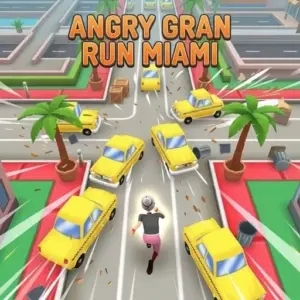
What are running games?
Running games focus on forward movement, sprint timing, obstacle avoidance or endless-runner survival. Some let the player control each stride, while others move automatically and ask you to jump, slide or change lanes. The useful distinction is whether the challenge comes from rhythm, reaction or route choice.
Sprint games and endless runners
A sprint game such as Sprinter turns running itself into the input challenge. Endless runners usually move the character forward automatically and test how long you can avoid hazards. Level-based runners combine forward speed with fixed courses and checkpoints. Knowing which format you prefer helps you choose a game without relying only on the artwork.
Common running controls
Arrow keys, WASD, Space and simple taps are common. Some rhythm runners alternate two keys, while lane-based games use left/right movement and jump or slide. Controls must be checked per game because a single wrong assumption can change the whole mechanic.
Reading obstacles earlier
Fast runners become easier when you look ahead instead of focusing on the character's feet. Identify the next obstacle and the one after it. A jump that clears the first hazard can still leave you unable to react to the second. Choose actions that create a good landing position for what follows.
- Move before the obstacle reaches the character.
- Avoid unnecessary lane changes.
- Land in the centre when you need multiple route options.
- Learn repeating obstacle patterns rather than reacting from zero every time.
Improving rhythm and reaction
Rhythm games reward even timing, while reaction runners reward correct decisions under speed. If you repeatedly fail at the same place, decide which problem it is. For rhythm, slow down and rebuild cadence. For reaction, identify the visual cue earlier. Practising the wrong skill can make a simple section feel impossible.
Running games on Chromebook and mobile
Simple HTML5 runners can be lightweight, but browser performance still varies. Keyboard games are comfortable on Chromebooks with physical keys, while tap and swipe runners fit phones well. Managed school devices may restrict gaming sites even when the hardware is capable of running them.
Related categories
Use Platformer Games for jumping and level navigation, Arcade Games for short score chasing, Sports Games for athletics-style races and Unblocked Games as a discovery hub where access is permitted. Running describes the mechanic; it should not automatically be treated as a school-game category.
A simple runner performance checklist
When a runner feels unfair, check three things before changing strategy: whether the browser is responding smoothly, whether the game window has focus and whether your action is happening too late. Technical delay and late visual recognition can feel similar. Testing one early obstacle repeatedly can help distinguish them. If the same input timing produces different results because the game stutters, reduce background load. If the game is smooth, move your decision earlier.
Lane runners, platform runners and rhythm runners
Lane runners usually ask you to move left or right between fixed paths while jumping or sliding. Platform runners give more freedom to jump across gaps and obstacles. Rhythm runners turn movement itself into a repeated timing pattern, as Sprinter does with alternating arrow keys. These subtypes look similar in screenshots but feel very different to play.
Use the game controls as a clue. A two-key runner probably tests cadence or simple lane choice. A title with jump, slide and multiple directions expects more route planning. This makes control information especially useful on category cards and game pages.
How speed changes decision making
At low speed, you can react when an obstacle becomes obvious. At high speed, you need to recognise the setup earlier. Look for patterns before the hazard reaches the centre of the screen: a gap may always follow a barrier, or two lane blocks may create one safe route. Once you recognise repeated patterns, the game becomes less about raw reaction and more about anticipation.
Do not make unnecessary inputs at high speed. Every extra lane change creates another chance to be in the wrong place for the next obstacle.
Score chasing without losing consistency
When a runner tracks score or distance, the temptation is to take every collectible and risky shortcut. First build a stable survival route. Once you can reach a section consistently, add optional pickups that do not compromise the next move. A slightly lower-scoring but longer run can produce a better final result than a short run full of risky bonuses.
For sprint games, the equivalent strategy is maintaining cadence across the entire race rather than using all your effort in the first second.
Running-game accessibility and comfort
Fast flashing movement, constant scrolling and rapid key tapping can be tiring for some players. A good browser page should preserve browser zoom, avoid forcing autoplay audio and respect reduced-motion preferences in the surrounding interface. The game itself may not expose every accessibility option, but GameBosh can still make navigation, focus states and fullscreen controls clear.
For rhythm runners, take breaks if repeated tapping causes hand discomfort. Improvement should come from cleaner timing and recognition, not from pressing harder. On shared devices, confirm that the keyboard can register the required key combination reliably before assuming a missed input is player error.
Running-game accessibility and comfort
Fast flashing movement, constant scrolling and rapid key tapping can be tiring for some players. A good browser page should preserve browser zoom, avoid forcing autoplay audio and respect reduced-motion preferences in the surrounding interface. The game itself may not expose every accessibility option, but GameBosh can still make navigation, focus states and fullscreen controls clear.
For rhythm runners, take breaks if repeated tapping causes hand discomfort. Improvement should come from cleaner timing and recognition, not from pressing harder. On shared devices, confirm that the keyboard can register the required key combination reliably before assuming a missed input is player error.
Running Games FAQ
What are running games?
They are games where sprinting, forward movement or obstacle-running is the main mechanic.
What is an endless runner?
An endless runner continues until the player crashes or fails, often increasing speed or difficulty over time.
What controls do running games use?
Common controls include arrows, WASD, Space, taps and swipes, depending on the title.
How do I improve at fast runners?
Look farther ahead, learn obstacle patterns and plan the landing after each jump.
Can running games work on mobile?
Many can, especially tap or swipe runners. Keyboard rhythm games may be easier on desktop.
Are running games the same as platformers?
They overlap, but platformers usually allow more exploration and two-direction movement, while runners emphasize continuous forward progress.